
-
Created by
 Mustafa Mermertas on Mar 30, 2026
2 minute read
Mustafa Mermertas on Mar 30, 2026
2 minute read
- Go the Google Chrome, go to settings.
Click on Google Password Manager.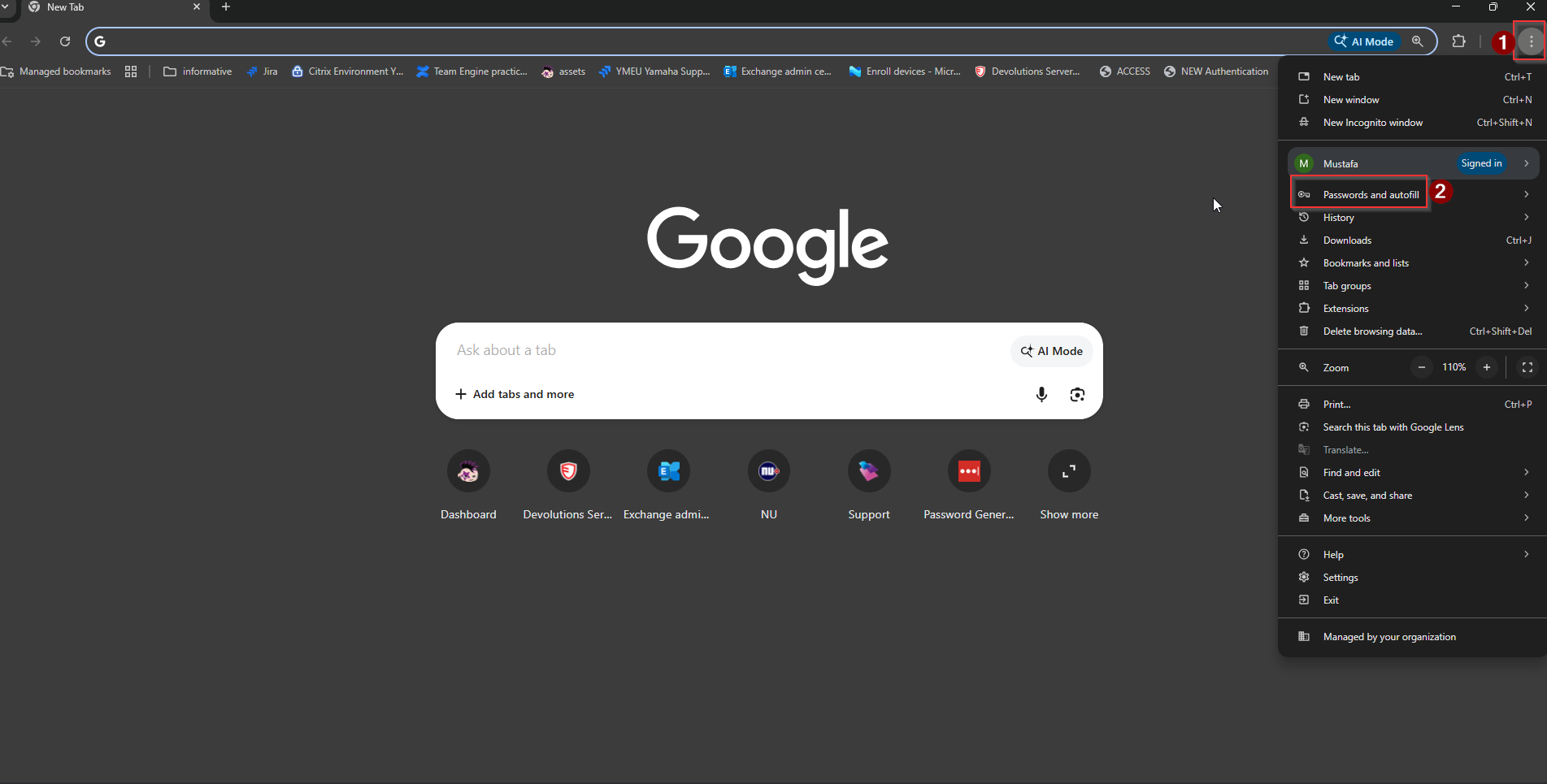
2. Now go to settings and download the file. Login with your Windows password: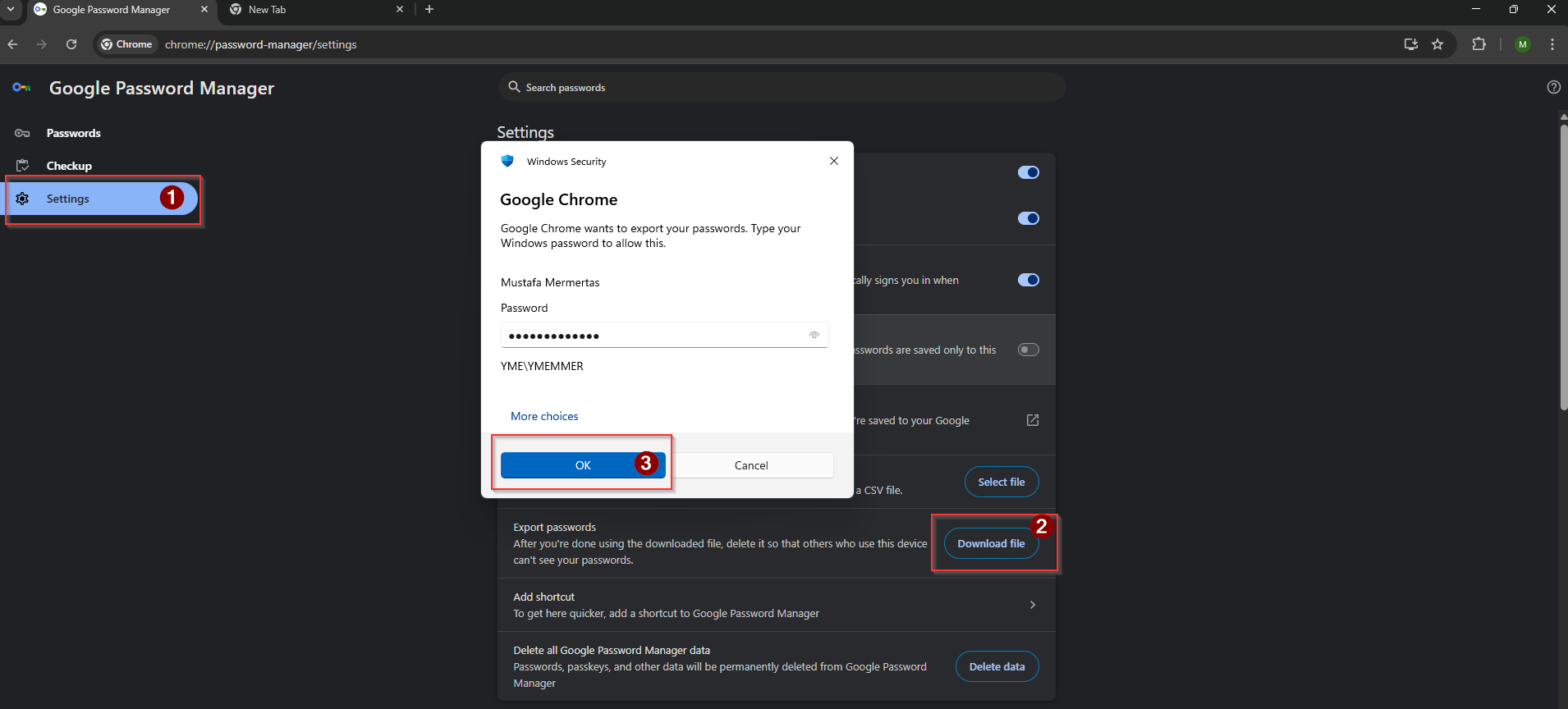
3. After pressing OK you will see the following screen, click on your Onedrive path and save:
Now you have created a back up / export of your Google Chrome passwords in your Onedrive.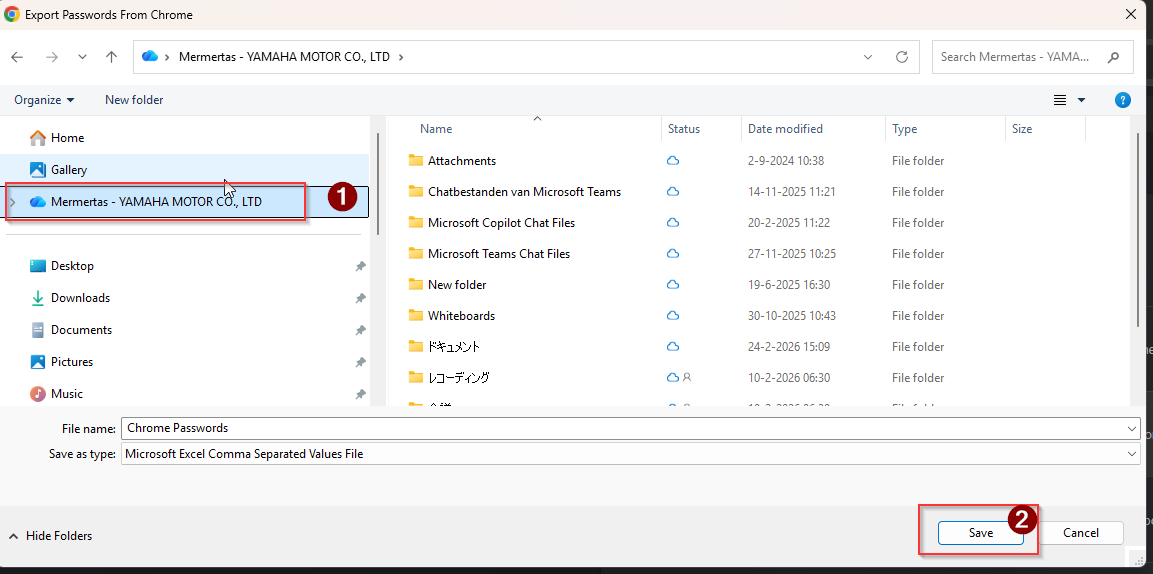
4. Now go back to step 1 and after that back to step 4.
Click on import file:
Go to Onedrive, search for the Chrome Password file, select it and press on open. Now all your passwords be imported to your new device.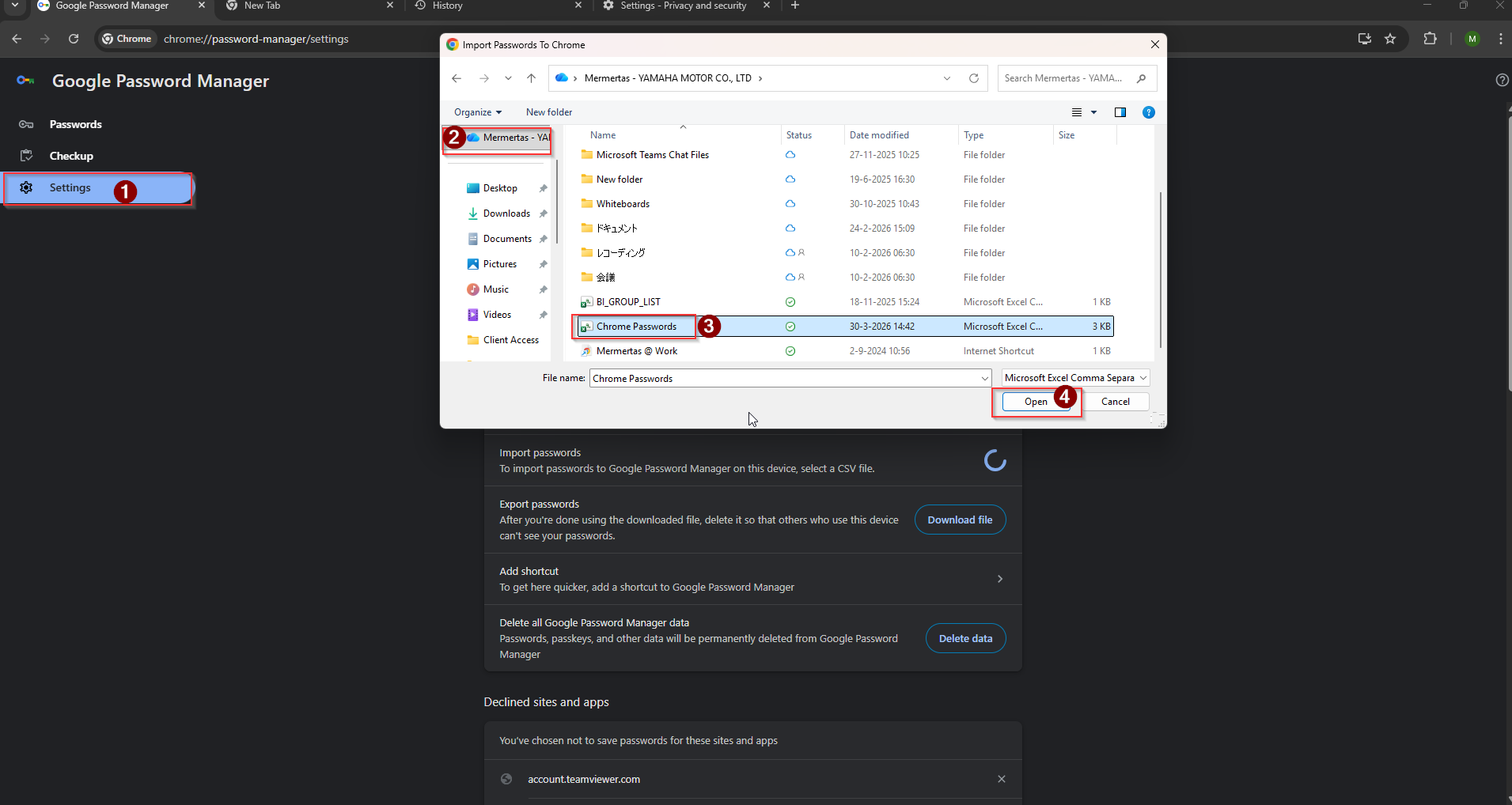
Overview
Content Tools